Friday, March 4, 2022

Well-defined documentation

Well-defined and clear documentation is as important as writing a generalized and independent module with the Python coding guidelines. Without clear documentation, the module will not increase the interest of developers to reuse with convenience. But as programmers, we put more focus on the code than the documentation. Writing a few lines of documentation can make 100 lines of our code more usable and maintainable.

We will provide a couple of good examples of documentation from a module point of view by using our mycalculator.py module example:

"""mycalculator.py

This module provides functions for add and subtract of two numbers"""

def add(x, y):

""" This function adds two numbers.

usage: add (3, 4) """

return x + y

def subtract(x, y):

""" This function subtracts two numbers

usage: subtract (17, 8) """

return x - y

In Python, it is important to remember the following:

• We can use three quote characters to mark a string that goes across more than one line of the Python source file.

• Triple-quoted strings are used at the start of a module, and then this string is used as the documentation for the module as a whole.

• If any function starts with a triple-quoted string, then this string is used as documentation for that function.

As a general conclusion, we can make as many modules as we want by writing hundreds of lines of code, but it takes more than writing code to make a reusable module, including generalization, coding style, and most importantly, documentation.


Share:

Thursday, March 3, 2022

Conventional coding style

This primarily focuses on how we write function names, variable names, and module names. Python has a coding system and naming conventions, which were discussed in the previous chapter of this book. It is important to follow the coding and naming conventions, especially when building reusable modules and packages. Otherwise, we will be discussing such modules as bad examples of reusable modules.

To illustrate this point, we will show the following code snippet with function and parameter names using camel case:

def addNumbers(numParam1, numParam2)

#function code is omitted

Def featureCount(moduleName)

#function code is omitted

If you are coming from a Java background, this code style will seem fine. But it is considered bad practice in Python. The use of the non-Pythonic style of coding makes the reusability of such modules very difficult.

Here is another snippet of a module with appropriate coding style for function names:

def add_numbers(num_param1, num_param2)

#function code is omitted

Def feature_count(module_name)

#function code is omitted

Another example of a good reusable coding style is illustrated in the next screenshot, which is taken from the PyCharm IDE for the pandas library:


The functions and the variable names are easy to follow even without reading any documentation. Following a standard coding style makes the reusability more convenient.


Share:

Wednesday, March 2, 2022

Generalization functionality

An ideal reusable module should focus on solving a general problem rather than a very specific problem. For example, we have a requirement of converting inches to centimeters. We can easily write a function that converts inches into centimeters by applying a conversion formula. What about writing a function that converts any value in the imperial system to a value in the metric system? We can have one function for different conversions that may handle inches to centimeters, feet to meters, or miles to kilometers, or separate functions for each type of these conversions. What about the reverse functions (centimeters to inches)? This may not be required now but may be required later on or by someone who is reusing this module. This generalization will make the module functionality not only comprehensive but also more reusable without extending it.

To illustrate the generalization concept, we will revise the design of the myrandom module to make it more general and thus more reusable. In the current design, we define separate functions for one-digit and two-digit numbers. What if we need to generate a three-digit random number or to generate a random number between 20 and 30? To generalize the requirement, we introduce a new function, get_random, in the same module, which takes user input for lower and upper limits of the random numbers. This newly added function is a generalization of the two random functions we already defined.

With this new function in the module, the two existing functions can be removed, or they can stay in the module for convenience of use. Note that the newly added function is also offered by the random library out of the box; the reason for providing the function in our module is purely for illustration of the generalized function (get_random in this case) versus the specific functions (random_1d and random_2d in this case).

The updated version of the myrandom.py module (myrandomv2.py) is as follows:

# myrandomv2.py with default and custom random functions

import random

def random_1d():

"""This function get a random number between 0 and 9"""

return random.randint(0,9)

def random_2d():

"""This function get a random number between 10 and 99"""

return random.randint(10,99)

def get_random(lower, upper):

"""This function get a random number between lower and\

upper"""

return random.randint(lower,upper)

Share:

Tuesday, March 1, 2022

Writing reusable modules

 For a module to be declared reusable, it has to have the following characteristics:

• Independent functionality

• General-purpose functionality

• Conventional coding style

• Well-defined documentation

If a module or package does not have these characteristics, it would be very hard, if not impossible, to reuse it in other programs. We will discuss each characteristic one by one.

Independent functionality

The functions in a module should offer functionality independent of other modules and independent of any local or global variables. The more independent the functions are, the more reusable the module is. If it has to use other modules, it has to be minimal.

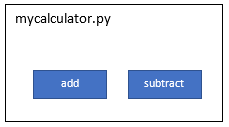
In our example of mycalculator.py, the two functions are completely independent and can be reused by other programs:


In the case of myrandom.py, we are using the random system library to provide the functionality of generating random numbers. This is still a very reusable module because the random library is one of the built-in modules in Python:


In cases where we have to use third-party libraries in our modules, we can get into problems when sharing our modules with others if the target environment does not have the third-party libraries already installed.

To elaborate this problem further, we'll introduce a new module, mypandas.py, which will leverage the basic functionality of the famous pandas library. For simplicity, we added only one function to it, which is to print the DataFrame as per the dictionary that is provided as an input variable to the function.

The code snippet of mypandas.py is as follows:

#mypandas.py

import pandas

def print_dataframe(dict):

"""This function output a dictionary as a data frame """

brics = pandas.DataFrame(dict)

print(brics)

Our mypandas.py module will be using the pandas library to create a dataframe object from the dictionary. This dependency is shown in the next block diagram as well:


Note that the pandas library is not a built-in or system library. When we try to share this module with others without defining a clear dependency on a third-party library (pandas in this case), the program that will try to use this module will give the following error message:

ImportError: No module named pandas'

This is why it is important that the module is as independent as possible. If we have to use third-party libraries, we need to define clear dependencies and use an appropriate packaging approach. This will be discussed in the Sharing a package topic in later blog.


Share:

Monday, February 28, 2022

Standard modules

Python comes with a library of over 200 standard modules. The exact number varies from one distribution to the other. These modules can be imported into your program. The list of these modules is very extensive but only a few commonly used modules are mentioned here as an example of standard modules:

• math: This module provides mathematical functions for arithmetic operations.

• random: This module is helpful to generate pseudo-random numbers using different types of distributions.

• statistics: This module offers statistics functions such as mean, median, and variance.

• base64: This module provides functions to encode and decode data.

• calendar: This module offers functions related to the calendar, which is helpful for calendar-based computations.

• collections: This module contains specialized container data types other than the general-purpose built-in containers (such as dict, list, or set). These specialized data types include deque, Counter, and ChainMap.

• csv: This module helps in reading from and writing to comma-based delimited files.

• datetime: This module offers general-purpose data and time functions.

• decimal: This module is specific for decimal-based arithmetic operations.

• logging: This module is used to facilitate logging into your application.

• os and os.path: These modules are used to access operating system-related functions.

• socket: This module provides low-level functions for socket-based network communication.

• sys: This module provides access to a Python interpreter for low-level variables and functions.

• time: This module offers time-related functions such as converting to different time units.

Share:

Sunday, February 27, 2022

Loading and initializing a module

Whenever the Python interpreter interacts with an import or equivalent statement, it does three operations, which are described in the next sections.

Loading a module

The Python interpreter searches for the specified module on a sys.path (to be discussed in the Accessing packages from any location section) and loads the source code. This has been explained in the Learning how import works section.

Setting special variables

In this step, the Python interpreter defines a few special variables, such as __name__, which basically defines the namespace that a Python module is running in. The __name__ variable is one of the most important variables.

In the case of our example of the calcmain1.py, mycalculator.py, and myrandom.py modules, the __name__ variable will be set for each module as follows:


There are two cases of setting the __name__ variable, which are described next.

Case A – module as the main program

If you are running your module as the main program, the __name__ variable will be set to the __main__ value regardless of whatever the name of the Python file or module is. For example, when calcmain1.py is executed, the interpreter will assign the hardcoded __main__ string to the __name__ variable. If we run myrandom.py or mycalculator.py as the main program, the __name__ variable will automatically

get the value of __main__.

Therefore, we added an if __name__ == '__main__' line to all main scripts to check whether this is the main execution program.

Case B – module is imported by another module

In this case, your module is not the main program, but it is imported by another module. In our example, myrandom and mycalculator are imported in calcmain1.py. As soon as the Python interpreter finds the myrandom.py and mycalculator.py files, it will assign the myrandom and mycalculator names from the import statement to the __name__ variable for each module. This assignment is done prior to executing the code inside these modules. This is reflected in Table shown above.

Executing the code

After the special variables are set, the Python interpreter executes the code in the file line by line. It is important to know that functions (and the code under the classes) are not executed unless they are not called by other lines of code. Here is a quick analysis of the three modules from the execution point of view when calcmain1.py is run:

• mycalculator.py: After setting the special variables, there is no code to be executed in this module at the initialization time.

• myrandom.py: After setting the special variables and the import statement, there is no further code to be executed in this module at initialization time.

• calcmain1.py: After setting the special variables and executing the import statements, it executes the following if statement: if __name__ == "__main__":. This will return true because we launched the calcmain1.py file.

Inside the if statement, the my_main () function will be called, which in fact then calls methods from the myrandom.py and mycalculator.py modules.

We can add an if __name__ == "__main__" statement to any module regardless of whether it is the main program or not. The advantage of using this approach is that the module can be used both as a module or as a main program. There is also another application of using this approach, which is to add unit tests within the module. Some of the other noticeable special variables are as follows:

• __file__: This variable contains the path to the module that is currently being imported.

• __doc__: This variable will output the docstring that is added in a class or a method. A docstring is a comment line added right after the class or method definition.

• __package__: This is used to indicate whether the module is a package or not. Its value can be a package name, an empty string, or none.

• __dict__: This will return all attributes of a class instance as a dictionary.

• dir: This is actually a method that returns every associated method or attribute as a list.

• Locals and globals: These are also used as methods that display the local and global variables as dictionary entries.


Share:

Saturday, February 26, 2022

Absolute versus relative import

We have fairly a good idea of how to use import statements. Now it is time to understand absolute and relative imports, especially when we are importing custom or project-specific modules. To illustrate the two concepts, let's take an example of a project with different packages, sub-packages, and modules, as shown next:

project

├── pkg1

│ ├── module1.py

│ └── module2.py (contains a function called func1 ())

└── pkg2

├── __init__.py

├── module3.py

└── sub_pkg1

└── module6.py (contains a function called func2 ())

├── pkg3

│ ├── module4.py

│ ├── module5.py

└── sub_pkg2

└── module7.py

Using this project structure, we will discuss how to use absolute and relative imports.

Absolute import

We can use absolute paths starting from the top-level package and drilling down to the sub-package and module level. A few examples of importing different modules are shown here:

from pkg1 import module1

from pkg1.module2 import func1

from pkg2 import module3

from pkg2.sub_pkg1.module6 import func2

from pkg3 import module4, module5

from pkg3.sub_pkg2 import module7

For absolute import statements, we must give a detailed path for each package or file, from the top-level package folder, which is similar to a file path.

Absolute imports are recommended because they are easy to read and easy to follow the exact location of imported resources. Absolute imports are least impacted by project sharing and changes in the current location of import statements. In fact, PEP 8 explicitly recommends the use of absolute imports.

Sometimes, however, absolute imports are quite long statements depending on the size of the project folder structure, which is not convenient to maintain.

Relative import

A relative import specifies the resource to be imported relative to the current location, which is mainly the current location of the Python code file where the import statement is used.

For the project examples discussed earlier, here are a few scenarios of relative import. The equivalent relative import statements are as follows:

• Scenario 1: Importing funct1 inside module1.py:

from .module2 import func1

We used one dot (.) only because module2.py is in the same folder as module1.py.

• Scenario 2: Importing module4 inside module1.py:

from ..pkg3 import module4

In this case, we used two dots (..) because module4.py is in the sibling folder of module1.py.

• Scenario 3: Importing Func2 inside module1.py:

from ..pkg2.sub_pkg_1.module2 import Func2

For this scenario, we used two dots (..) because the target module (module2.py) is inside a folder that is in the sibling folder of module1.py. We used one dot to access the sub_pkg_1 package and another dot to access module2.

One advantage of relative imports is that they are simple and can significantly reduce long import statements. But relative import statements can be messy and difficult to maintain when projects are shared across teams and organizations. Relative imports are not easy to read and manage.


Share:

Friday, February 25, 2022

Using the __import__ statement and importlib.import_module statement

The __import__ statement is a low-level function in Python that takes a string as input and triggers the actual import operation. Low-level functions are part of the core Python language and are typically meant to be used for library development or for accessing operating system resources, and are not commonly used for application development.

We can use this keyword to import the random library in our myrandom.py module as follows:

#import random

random = __import__('random')

The rest of the code in myrandom.py can be used as it is without any change. I have illustrated a simple case of using the __import__ method for academic reasons and will skip the advanced details for those of you who are interested in exploring as further reading. The reason for this is that the __import__ method is not recommended to be used for user applications; it is designed more for interpreters.

The importlib.import_module statement is the one to be used other than the regular import for advanced functionality.

We can import any module using the importlib library. The importlib library offers a variety of functions, including __import__, related to importing modules in a more flexible way. Here is a simple example of how to import a random module in our myrandom.py module using importlib:

import importlib

random = importlib.import_module('random')

The rest of the code in myrandom.py can be used as it is without any change. The importlib module is best known for importing modules dynamically and is very useful in cases where the name of the module is not known in advance and we need to import the modules at runtime. This is a common requirement for the development of plugins and extensions.

Commonly used functions available in the importlib module are as follows:

• __import__: This is the implementation of the __import__ function, as already discussed.

• import_module: This is used to import a module and is most commonly used to load a module dynamically. In this method, you can specify whether you want to import a module using an absolute or relative path. The import_module function is a wrapper around importlib.__import__. Note that the former function brings back the package or module (for example, packageA.module1), which is specified with the function, while the latter function always returns the top-level package or module (for example, packageA).

• importlib.util.find_spec: This is a replaced method for the find_loader method, which is deprecated since Python release 3.4. This method can be used to validate whether the module exists and it is valid.

• invalidate_caches: This method can be used to invalidate the internal caches of finders stored at sys.meta_path. The internal cache is useful to load the module faster without triggering the finder methods again. But if we are dynamically importing a module, especially if it is created after the interpreter began execution, it is a best practice to call the invalidate_caches method.

This function will clear all modules or libraries from the cache to make sure the requested module is loaded from the system path by the import system.

• reload: As the name suggests, this function is used to reload a previously imported module. We need to provide the module object as an input parameter for this function. This means the import function has to be done successfully.

This function is very helpful when module source code is expected to be edited or changed and you want to load the new version without restarting the program.


Share:

Thursday, February 24, 2022

Specific import

We can also import something specific (variable or function or class) from a module instead of importing the whole module. This is achieved using the from statement, such as the following:

from math import pi

Another best practice is to use a different name for an imported module for convenience or sometimes when the same names are being used for different resources in two different libraries. To illustrate this idea, we will be updating our calcmain1.py file (the updated program is calcmain2.py) from the earlier example by using the calc and rand aliases for the mycalculator and myrandom modules, respectively. This change will

make use of the modules in the main script much simpler, as shown next:

# calcmain2.py with alias for modules

import mycalculator as calc

import myrandom as rand

def my_main():

""" This is a main function which generates two random\

numbers and then apply calculator functions on them """

x = rand.random_2d()

y = rand.random_1d()

sum = calc.add(x,y)

diff = calc.subtract(x,y)

print("x = {}, y = {}".format(x,y))

print("sum is {}".format(sum))

print("diff is {}".format(diff))

""" This is executed only if the special variable '__name__' is

set as main"""

if __name__ == "__main__":

my_main()

As a next step, we will combine the two concepts discussed earlier in the next iteration of the calcmain1.py program (the updated program is calcmain3.py). In this update, we will use the from statement with the module names and then import the individual functions from each module. In the case of the add and subtract functions, we used the as statement to define a different local definition of the module resource for illustration purposes.

A code snippet of calcmain3.py is as follows:

# calcmain3.py with from and alias combined

from mycalculator import add as my_add

from mycalculator import subtract as my_subtract

from myrandom import random_2d, random_1d

def my_main():

""" This is a main function which generates two random

numbers and then apply calculator functions on them """

x = random_2d()

y = random_1d()

sum = my_add(x,y)

diff = my_subtract(x,y)

print("x = {}, y = {}".format(x,y))

print("sum is {}".format(sum))

print("diff is {}".format(diff))

print (globals())

""" This is executed only if the special variable '__name__' is

set as main"""

if __name__ == "__main__":

my_main()

As we used the print (globals()) statement with this program, the console output of this program will show that the variables corresponding to each function are created as per our alias. The sample console output is as follows:

{

"__name__":"__main__",

"__doc__":"None",

"__package__":"None",

"__loader__":"<_frozen_importlib_external.\

SourceFileLoader object at 0x1095f1208>",

"__spec__":"None",

"__annotations__":{},

"__builtins__":"<module 'builtins' (built-in)>", "__

file__":"/PythonForGeeks/source_code/chapter2/module1/

main_2.py",

"__cached__":"None",

"my_add":"<function add at 0x109645400>",

"my_subtract":"<function subtract at 0x109645598>",

"random_2d":"<function random_2d at 0x10967a840>",

"random_1d":"<function random_1d at 0x1096456a8>",

"my_main":"<function my_main at 0x109645378>"

}

Note that the variables in bold correspond to the changes we made in the import statements in the calcmain3.py file.

Share:

Wednesday, February 23, 2022

Using the import statement

The import statement is a common way to import a module. The next code snippet is an example of using an import statement:

import math

The import statement is responsible for two operations: first, it searches for the module given after the import keyword, and then it binds the results of that search to a variable name (which is the same as the module name) in the local scope of the execution. In the next two subsections, we will discuss how import works and also how to import specific elements from a module or a package.

Learning how import works

Next, we need to understand how the import statement works. First, we need to remind ourselves that all global variables and functions are added to the global namespace by the Python interpreter at the start of an execution. To illustrate the concept, we can write a small Python program to spit out of the contents of the globals namespace, as shown next:

# globalmain.py with globals() function

def print_globals():

print (globals())

def hello():

print ("Hello")

if __name__ == "__main__":

print_globals()

This program has two functions: print_globals and hello. The print_globals function will spit out the contents of the global namespace. The hello function will not be executed and is added here to show its reference in the console output of the global namespace. The console output after executing this Python code will be similar to the following:

{

"__name__":"__main__",

"__doc__":"None",

"__package__":"None",

"__loader__":"<_frozen_importlib_external.\

SourceFileLoader object at 0x101670208>",

"__spec__":"None",

"__annotations__":{

},

"__builtins__":"<module 'builtins' (built-in)>",

"__file__":"/ PythonForGeeks/source_code/chapter2/\

modules/globalmain.py",

"__cached__":"None",

"print_globals":"<function print_globals at \

0x1016c4378>",

"hello":"<function hello at 0x1016c4400>"

}

The key points to be noticed in this console output are as follows:

• The __name__ variable is set to the __main__ value. This will be discussed in more detail in the Loading and initializing a module post.

• The __file__ variable is set to the file path of the main module here.

• A reference to each function is added at the end.

If we add print(globals()) to our calcmain1.py script, the console output after adding this statement will be similar to the following:

{

"__name__":"__main__",

"__doc__":"None",

"__package__":"None",

"__loader__":"<_frozen_importlib_external.\

SourceFileLoader object at 0x100de1208>",

"__spec__":"None",

"__annotations__":{},

"__builtins__":"<module 'builtins' (built-in)>",

"__file__":"/PythonForGeeks/source_code/chapter2/module1/

main.py",

"__cached__":"None",

"mycalculator":"<module 'mycalculator' from \

'/PythonForGeeks/source_code/chapter2/modules/\

mycalculator.py'>",

"myrandom":"<module 'myrandom' from '/PythonForGeeks/source_

code/chapter2/modules/myrandom.py'>",

"my_main":"<function my_main at 0x100e351e0>"

}

An important point to note is that there are two additional variables (mycalculator and myrandom) added to the global namespace corresponding to each import statement used to import these modules. Every time we import a library, a variable with the same name is created, which holds a reference to the module just like a variable for the global functions (my_main in this case).

We will see, in other approaches of importing modules, that we can explicitly define some of these variables for each module. The import statement does this automatically for us.

Share:

Tuesday, February 22, 2022

Modularization to Handle Complex Projects

When you start programming in Python, it is very tempting to put all your program code in a single file. There is no problem in defining functions and classes in the same file where your main program is. This option is attractive to beginners because of the ease of execution of the program and to avoid managing code in multiple files. But a single-file program approach is not scalable for medium- to large-size projects. It becomes challenging to keep track of all the various functions and classes that you define.

To overcome the situation, modular programming is the way to go for medium to large projects. Modularity is a key tool to reduce the complexity of a project. Modularization also facilitates efficient programming, easy debugging and management, collaboration, and reusability.

We will cover the following topics in this and future blogs:

• Introduction to modules and packages

• Importing modules

• Loading and initializing a module

• Writing reusable modules

• Building packages

• Accessing packages from any location

• Sharing a package

Let us start with introduction to modules and packages.

Modules in Python are Python files with a .py extension. In reality, they are a way to organize functions, classes, and variables using one or more Python files such that they are easy to manage, reuse across the different modules, and extend as the programs become complex.

A Python package is the next level of modular programming. A package is like a folder for organizing multiple modules or sub-packages, which is fundamental for sharing the modules for reusability. Python source files that use only the standard libraries are easy to share and easy to distribute using email, GitHub, and shared drives, with the only caveat being that there should be Python version compatibility. But this sharing approach will not scale for projects that have a decent number of files and have dependencies on third-party libraries and may be developed for a specific version of Python. To rescue the situation, building and sharing packages is a must for efficient sharing and reusability of Python programs.

Next, we will discuss how to import modules and the different types of import techniques supported in Python.

Importing modules

Python code in one module can get access to the Python code in another module by a process called importing modules.

To elaborate on the different module and package concepts, we will build two modules and one main script that will use those two modules. These two modules will be updated or reused throughout this blog series.

To create a new module, we will create a .py file with the name of the module. We will create a mycalculator.py file with two functions: add and subtract. The add function computes the sum of the two numbers provided to the function as arguments and returns the computed value. The subtract function computes the difference between the two numbers provided to the function as arguments and returns the computed value.

A code snippet of mycalculator.py is shown next:

# mycalculator.py with add and subtract functions

def add(x, y):

"""This function adds two numbers"""

return x + y

def subtract(x, y):

"""This function subtracts two numbers"""

return x - y

Note that the name of the module is the name of the file.

We will create a second module by adding a new file with the name myrandom.py. This module has two functions: random_1d and random_2d. The random_1d function is for generating a random number between 1 and 9 and the random_2d function is for generating a random number between 10 and 99. Note that this module is also using the random library, which is a built-in module from Python.

The code snippet of myrandom.py is shown next:

# myrandom.py with default and custom random functions

import random

def random_1d():

"""This function generates a random number between 0 \

and 9"""

return random.randint (0,9)

def random_2d():

"""This function generates a random number between 10 \

and 99"""

return random.randint (10,99)

To consume these two modules, we also created the main Python script (calcmain1.py), which imports the two modules and uses them to achieve these two calculator functions. The import statement is the most common way to import built-in or custom modules.

A code snippet of calcmain1.py is shown next:

# calcmain1.py with a main function

import mycalculator

import myrandom

def my_main( ):

""" This is a main function which generates two random\

numbers and then apply calculator functions on them """

x = myrandom.random_2d( )

y = myrandom.random_1d( )

sum = mycalculator.add(x, y)

diff = mycalculator.subtract(x, y)

print("x = {}, y = {}".format(x, y))

print("sum is {}".format(sum))

print("diff is {}".format(diff))

""" This is executed only if the special variable '__name__'

is set as main"""

if __name__ == "__main__":

my_main()

In this main script (another module), we import the two modules using the import statement. We defined the main function (my_main), which will be executed only if this script or the calcmain1 module is executed as the main program. The details of executing the main function from the main program will be covered later in the Setting special variables section. In the my_main function, we are generating two random numbers using the myrandom module and then calculating the sum and difference of the two random numbers using the mycalculator module. In the end, we are sending the results to the console using the print statement.

There are other options available to import a module, such as importlib.import_module() and the built-in __import__() function. Let's discuss how import and other alternative options works, in the next blog. Meanwhile keep practicing and experimenting.

Share: